
Launching a new mortgage website is exciting. But going live too soon before the right pieces are in place can quietly cost you leads, credibility, and search visibility from the very first day.
The good news is that a solid pre-launch checklist removes all of that guesswork. Whether you’re building from scratch or customizing a mortgage website template, running through the right checks before you hit publish means your site is ready to work the moment it goes live, not two months later, after you’ve already missed opportunities.
This checklist covers everything: design, content, compliance, SEO, lead capture, and performance. Work through each section, and you’ll launch with confidence knowing your site is built to convert from day one.
Key Takeaways
- A pre-launch checklist prevents costly mistakes that are harder to fix after your site is already live
- Your mortgage website template should be reviewed across six key areas before launch: design, content, compliance, SEO, lead capture, and performance
- Mobile experience and page speed directly impact both user experience and Google rankings
- Compliance details like your NMLS number and licensing disclosures must be visible and accurate before launch
- A strong launch sets the foundation, but ongoing updates keep your site competitive over time
Why a Pre-Launch Checklist Matters More Than You Think
Most people treat launching a website like flipping a switch. The design looks good, the content is in, the domain is connected, and go live.
But there’s a lot that happens between “it looks ready” and “it’s actually ready.” A misaligned lead form, a missing SSL certificate, an NMLS number buried in the footer, or a homepage that loads in six seconds on mobile any one of these can quietly undermine your site’s performance from the start.
A checklist keeps you from learning these lessons the hard way. It turns a chaotic launch into a deliberate one.
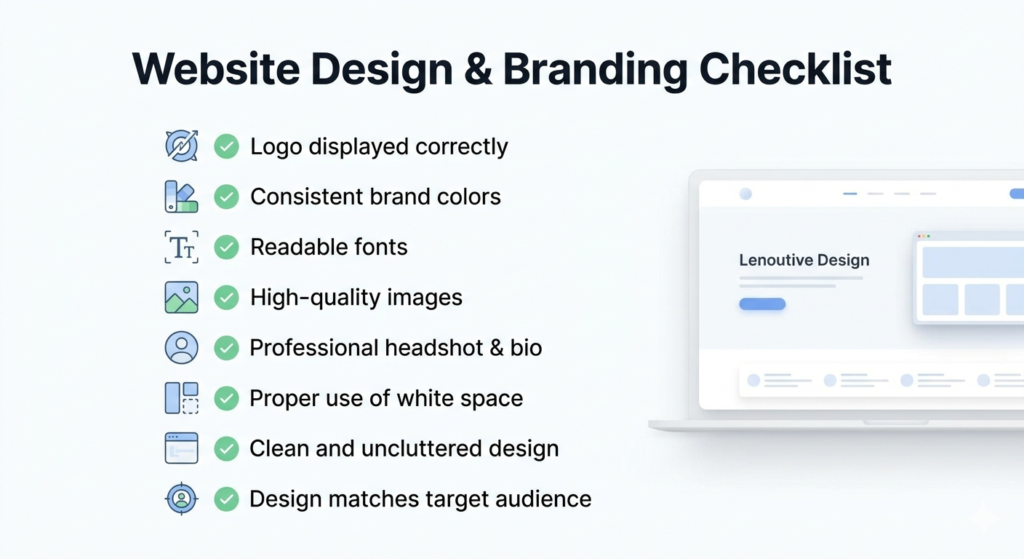
Step 1: Review Your Design and Branding
Before anything else, walk through your site the way a first-time visitor would. Open every page, click every button, and ask yourself honestly: Does this feel professional and trustworthy?
What to check
- Your logo appears correctly on all pages, desktop and mobile
- Brand colors are consistent across headers, buttons, and text links
- Fonts are readable; body text should be at least px on desktop
- Images are high quality and relevant no blurry stock photos or mismatched visuals
- Your headshot and bio photo look professional and approachable
- White space is used well; pages shouldn’t feel cluttered or overwhelming
- The overall design matches the audience you’re serving
A mortgage website template gives you a strong visual foundation, but branding details like your colors, logo, and photography are what make it feel like yours. Take the time to get these right before launch.
Want to simplify your mortgage journey?
Explore tools, calculators, and homebuyer content at GetMortgageWebsite.com.

Step 2: Audit Your Content Top to Bottom
Design gets people to stay for a few seconds. Content is what convinces them to reach out.
Go through every page and read it the way a borrower would not as the person who wrote it. Ask yourself: Is this clear? Does it answer the questions my audience is actually asking? Does it sound human?
Content checklist
- The homepage headline immediately communicates who you serve and what you offer
- Your bio feels personal and builds trust, not just a list of credentials
- Loan program pages exist for each product you offer: FHA, VA, conventional, jumbo, USDA
- Every page has a clear call to action: “Get a Free Quote,” “Start Your Application,” or “Schedule a Call.”
- The blog or resources section is populated with at least a few posts before launch. An empty blog signals an inactive site
- Contact information is accurate and visible: phone number, email, and location, where applicable
- No placeholder text remains anywhere on the site search every page carefully
Pay special attention to your loan program pages. These are often the pages borrowers land on from search, and they need to be detailed, accurate, and written in plain language.
Step 3: Confirm All Compliance and Legal Requirements
This one doesn’t get enough attention during the excitement of launching, and it’s the one that can cause real problems if missed.
Mortgage websites operate in a regulated industry. Your site needs to reflect that not just to stay compliant but also because visible compliance details also build borrower trust.
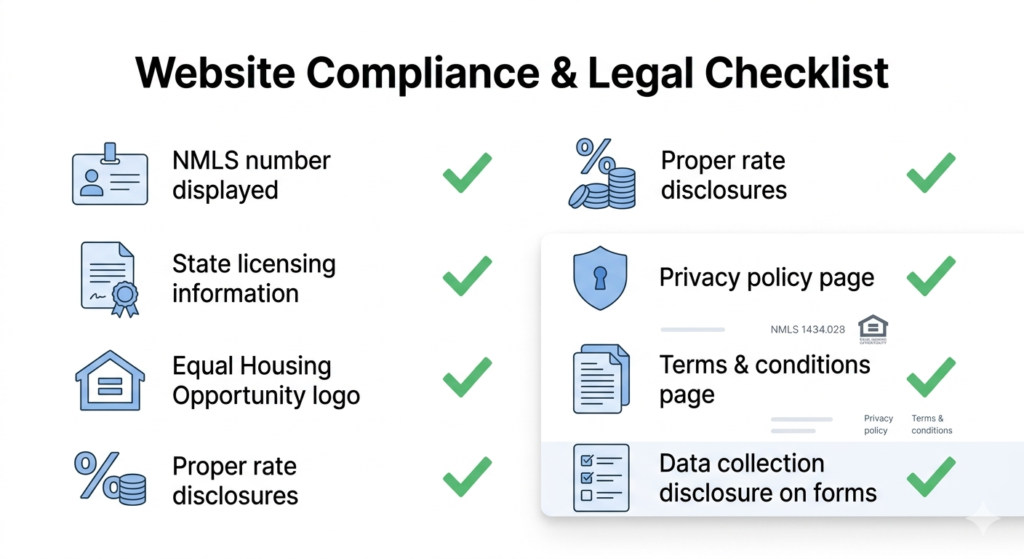
Compliance checklist
- NMLS number is displayed on every page, typically in the footer
- State licensing information is accurate and up-to-date.The
- Equal Housing Opportunity logo or statement is present
- Any advertised rates include the required disclosures
- The privacy policy page is live and linked in the footerThe
- Terms and Conditions page is accessible
If you’re using a contact or application form, your data collection practices are disclosed
If you’re unsure about specific compliance requirements in your state, check with your compliance officer or legal counsel before going live. Getting this wrong after launch is a much bigger headache than getting it right before.
What to Look for in a Mortgage Website Template Before You Customize
Not every mortgage website template is built with compliance in mind. Before you invest time customizing a template, confirm that it includes footer space for NMLS and licensing details, a built-in privacy policy framework, and clear areas for Equal Housing disclosures.
A template that’s designed specifically for the mortgage industry will have these elements built into the layout so you’re filling in your details rather than adding structure from scratch.
Step 4: Test Every Lead Capture Element
Your lead forms are the most important functional element on your site. If they don’t work, nothing else matters.
Test every single form before launch, not just on desktop but also on multiple mobile devices and browsers.
Lead capture checklist
- Every form submits successfully and sends a notification to the right email or CRM
- Thank-you pages load correctly after form submission
- Form fields are labeled clearly no confusing placeholders or missing labels
- Required fields are marked and validated before submission
- Multi-step forms progress correctly through each step
- CRM integration is connected and receiving leads in real time
- Auto-reply emails are set up and are being sent from a professional email address
- Booking or scheduling links work and reflect your actual availability
Go through each form yourself as if you were a borrower. Submit a test entry and follow it all the way through from the form to the thank-you page to the CRM entry to your inbox. If anything breaks in that chain, fix it before launch.
Step 5: Run Through Your SEO Foundations
You don’t need a perfect SEO setup on day one, but you do need the basics in place. Missing foundational SEO elements can delay your visibility in search for months.
SEO checklist
- Every page has a unique, keyword-relevant meta title and meta description
- Your H1 heading on each page reflects the page’s primary topic
- Images have descriptive alt text, not just “image1.jpg.”
- Your site has been submitted to Google Search Console
- A sitemap has been generated and submitted.
robots.txt file is configured correctly and not blocking important pages - Internal links connect related pages, loan programs linking to the application, and blog posts linking to service pages
- Your Google Business Profile is set up or updated with your new website URL
If you’re using a mortgage website template that’s already structured for SEO, many of these elements will be partially in place but you still need to fill in the page-specific details like titles, descriptions, and alt text.
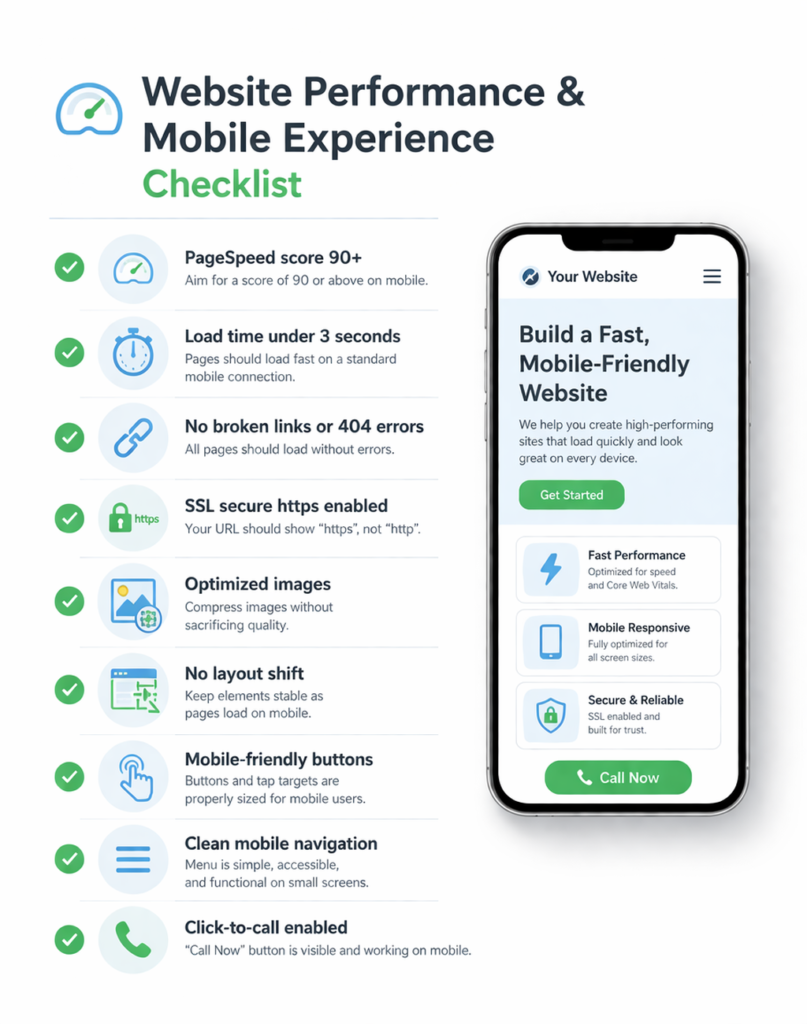
Step 6: Check Performance and Mobile Experience
Speed and mobile usability aren’t finishing touches. They’re ranking factors and conversion factors at the same time.
Performance checklist
- Run your site through Google PageSpeed Insights aim for a score of 90 or above on mobile
- Pages load in under three seconds on a standard mobile connection
- No broken links or 404 errors exist anywhere on the site
- SSL certificate is active your URL should show “https” not “http”
- Images are compressed without sacrificing quality
- No layout shifts occur as pages load on mobile
- Buttons and tap targets are sized appropriately for mobile users
- Navigation is clean and functional on small screens
- Click-to-call buttons are visible and working on mobile
Run through the mobile experience on at least two different devices — ideally an iPhone and an Android — before calling it ready.
Launch Your Mortgage Website Fast
Showcase reviews, capture leads, and grow your business all in one place.

Frequently Asked Questions
Do I really need a mortgage-specific website builder, or can I use a general platform?
Yes. General platforms like Wix or Squarespace lack loan program content, compliant forms, and mortgage calculators. A mortgage-specific builder gets you launched faster with tools built for how borrowers actually shop.
How long does it take to launch a high-converting mortgage website?
With the right platform, as little as three to five business days — especially when the provider handles the build, content, and setup for you.
What should I include on my mortgage website homepage?
Answer three things instantly: who you are, what you offer, and why borrowers should trust you. A headline, bio, loan programs, lead form, and review feed cover the essentials.
Is SEO included in most mortgage website builders?
Not always. Look for fast load times, clean URLs, mobile optimization, and a built-in blog. Pre-written loan program pages structured for search are a big bonus.
Can I make edits to my website without calling support?
You should be able to handle basic updates — bio, photos, blog posts — on your own. A responsive support team for bigger changes is a valuable safety net.
Conclusion
Your mortgage website should be your hardest-working team member — available 24/7, never missing a lead, and always making a great first impression.
That only happens when you build on the right foundation. Smart lead capture keeps prospects in the funnel. Strong trust signals turn curiosity into confidence. Mobile-first performance makes sure your site shows up and loads fast for every borrower, on every device.
The right mortgage website builder brings all three of these together without requiring you to stitch together a dozen different tools or manage a developer every time you need a change.
If your current site isn’t checking all three boxes, it’s worth asking what leads you might already be leaving on the table — and what it would mean for your business if you weren’t.
Skip the Tech Headaches
We handle the website. You focus on loans.
🔒 Secure, backed up, and mortgage calculators